ULTRA Digital Retro watch face
Facer StudiosPersonalization
4.5136.00 Reviews
- Version
- Varies With Device
- Installs
- 10.00K
- Age Rating
- Everyone
Screenshots
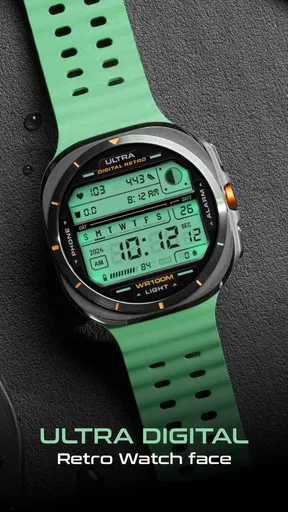
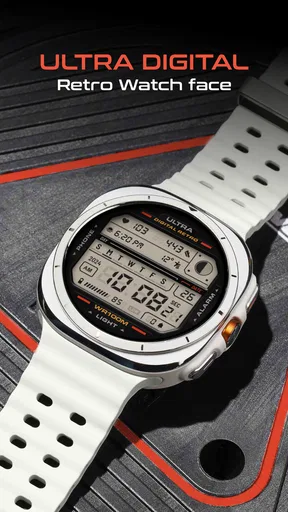
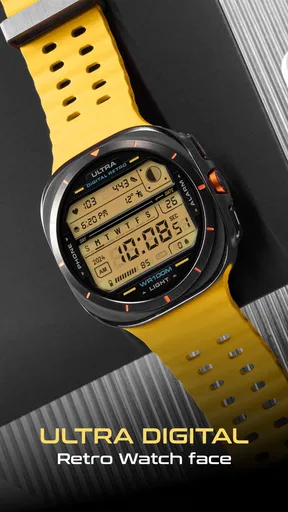
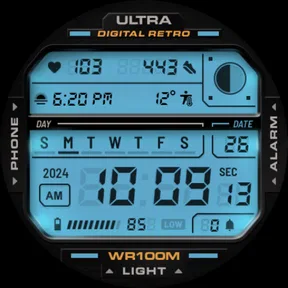
Our Review of ULTRA Digital Retro watch face
 Analysis by Appyee
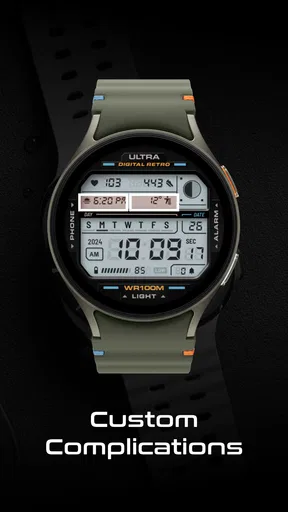
I judge a watch face less by how striking it looks in a screenshot than by whether I can read it quickly, live with it through an ordinary day, and still enjoy seeing it on my wrist later. ULTRA Digital Retro makes its case through a throwback digital look, with color customization and a distinctive lighting effect at the center of the experience. That combination gives it a clear personality: it is for someone who wants a watch to feel like a small piece of retro design, not just a neutral display for the time.
This is a personalization app from Facer Studios, and the appeal is intentionally focused. Rather than trying to turn the watch face into a busy dashboard, it leans into visual style. I see that as both its strength and the main question to consider before paying: do you want your wrist to look distinctive, or do you mainly need the most information possible at a glance? If the first answer is yes, this face has a more interesting point of view than a plain digital layout.
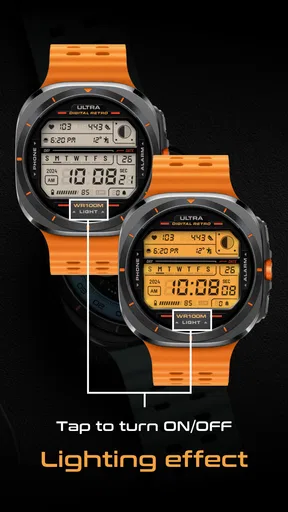
The lighting effect is the defining detail
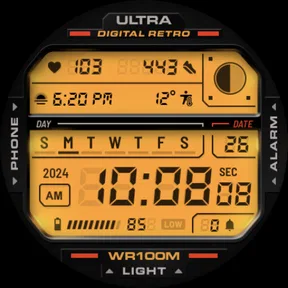
The retro look is not only about using bright colors or an old-fashioned digital aesthetic. The lighting effect gives the design its particular character, helping it feel less like a basic time display and more like a deliberate nod to vintage electronics. It changes the mood of the face without asking you to give up the practicality of a digital watch.
That detail matters most in short glances. A watch face is something I tend to check while moving, carrying something, or trying not to interrupt a conversation. A strong visual identity can make the time easy to pick out, but only if the styling stays comfortable to look at. Here, the effect is part of the charm, though anyone who prefers a restrained, low-key face may find the retro treatment too prominent for all-day wear.
How personalization helps in everyday use
Color customization is more than a way to make the face look different from someone else’s. I would use it to make the display suit the watch band, the clothes I wear most often, or the setting where I expect to use it. A subdued choice can make a playful design easier to wear at work; a more vivid one lets the retro character take the lead when I am off the clock.
My practical tip is to choose for readability first, then for style. A color combination can look great when you are studying the face closely but feel less clear during a quick glance. I would test the setup in the kind of light and routine where I actually check the time, rather than settling on the most striking option in the customization screen. This small bit of restraint helps preserve the face’s personality without making the display feel like decoration at the expense of use.
Why it may suit your wrist
ULTRA Digital Retro is priced at $1.89, and its Everyone age rating makes it suitable for a broad audience. It has an average rating of 4.5 from 639 ratings, with 133 written reviews and over 10,000 installs. I would treat those figures as a quick sign of how other users have responded, not as a substitute for deciding whether its particular visual style fits your taste.
At its best, this is a focused choice for people who like digital nostalgia and want some control over the look. It is less suited to someone who wants a conventional analog dial, a very minimal display, or a face whose main purpose is to pack in as much glanceable information as possible. The useful question is not whether retro design is appealing in the abstract, but whether you will still enjoy this specific look after the novelty has worn off.
A useful fit for a particular kind of day
Picture checking the time on the way to work, then glancing at your wrist while waiting for a coffee or meeting a friend after hours. In each moment, the watch face has only a second to be useful. ULTRA Digital Retro makes sense if you want those small checks to feel a little more personal and you enjoy a design that can draw attention. It is not the choice I would make for a day when I need a dense information panel or a deliberately formal, understated appearance.
Compared with the usual alternatives in personalization, the trade-off is focus. A plain digital face is often the safer pick when clarity and simplicity matter most; a more information-heavy layout is better when I want several details visible together. This one gives the visual treatment more of the spotlight. That can make it more satisfying for style-led use, but it also means you should not choose it expecting a comprehensive dashboard simply because it runs on a smartwatch.
If I were setting it up for a full week, I would begin with a color choice that remains easy to read in different parts of my routine, then avoid changing it repeatedly just because there are options to explore. A stable setup makes it easier to tell whether the face works for me rather than whether each new color looks interesting for a moment. I would also think about the watch band before settling on a palette: a coordinated combination can make the retro look feel intentional, while a clash may make the display seem louder than I want.
Where the trade-off becomes clear
Customization can invite a lot of trial and error, and that is not automatically a benefit. If you want to install a face and never think about its appearance again, the opportunity to adjust colors may feel like one more decision rather than a welcome creative tool. I would keep the setup process simple: pick a readable palette, wear it through a normal day, and change it only if a real use problem appears.
There is also a difference between liking a retro design and wanting to wear one constantly. The novelty can be part of the fun, but a bold style may not suit every outfit or setting. If your preference shifts between playful and understated, a neutral face may be a more dependable everyday option, with this one reserved for when you want your watch to stand out. That is not a flaw so much as a matter of matching a specific design to the way you use your device.
Another sensible consideration is what you expect a watch face to do. This app’s appeal is its appearance and customizable colors, not a promise that it will replace a more information-dense display. If your routine depends on seeing many details without switching screens, I would compare it with a layout designed around that need before making a purchase. If your main goal is a distinctive time display, its narrower focus may feel refreshing rather than limiting.
Who will get the most from it
I would recommend ULTRA Digital Retro to someone who enjoys old-school digital styling, wants to tailor the colors, and treats a watch face as part of personal style. It can also make sense as a change of pace from the default face that came with a watch: instead of choosing another generic-looking layout, you get a clear aesthetic direction. The $1.89 price is a modest purchase, but I would still make it only if the look itself appeals to you.
I would steer away from it if you prefer a quiet analog face, dislike vivid or nostalgic styling, or value information density above appearance. People who regularly need a glance to answer several different questions may be happier with a more practical dashboard-style alternative. For everyone else, the decision is fairly simple: if you like the distinctive digital character and can picture wearing it beyond the first day, the customization gives you a way to make that character feel more like your own.
First Impressions
Upon installing the ULTRA Digital Retro, the first thing that hits you is the sleek design interface. It’s like stepping into a time machine and landing in the heart of the 80s, where digital watches were the epitome of cool. The vibrant colors and pixelated fonts bring back a sense of nostalgia while perfectly integrating with today’s smartwatch technology. Honestly, it’s like wearing a piece of the past on your wrist, but with all the benefits of modern-day functionality.
Customization Options Galore
If you’re someone who likes to tweak and personalize, then this app’s got you covered. It offers a plethora of customization options. You can change the color schemes, adjust the brightness, and even select from a variety of retro fonts. It’s like having a digital playground where your creativity can run wild. I spent a good chunk of time just playing around with these settings, and it was worth it.
Besides, the user interface is intuitive, making it easy for anyone to navigate. You don’t need to be a tech wizard to make your watch face look exactly how you want it to.
Performance and Functionality
Now, let’s talk about how this app performs. I’ve tested it on both Android and iOS platforms, and I must say, it runs smoothly without any hiccups. The battery consumption is minimal, which is always a plus in my book. The last thing anyone wants is their watch face to drain their battery faster than you can say "retro."
Moreover, it syncs seamlessly with your device, ensuring that all your notifications and updates are just a glance away. The app also supports multiple languages, making it accessible for users worldwide. It’s these little details that make a big difference.
Why It Stands Out
So, what makes the ULTRA Digital Retro stand out from the crowd? Well, it’s a perfect blend of the old and the new. It satisfies that yearning for nostalgia without compromising on the features and functionalities we’ve come to expect from modern apps.
It’s not just about telling time; it’s about making a statement. Whether you’re at work or out with friends, this watch face is a conversation starter. People notice, and they’ll likely ask you about it, giving you a chance to share your love for all things retro.
Final Thoughts
In conclusion, if you’re looking to add a touch of retro flair to your smartwatch, then the ULTRA Digital Retro is worth checking out. It’s fun, functional, and a fantastic way to personalize your device. With its user-friendly interface and myriad customization options, it’s hard not to fall in love with this app.
For anyone who loves the charm of vintage tech wrapped in a modern package, this app is a must-try. So, go ahead, give it a whirl, and let yourself bask in the glow of digital nostalgia. Trust me, your wrist will thank you!
Verdict
Strengths of ULTRA Digital Retro watch face
- Stylish retro design appeals to nostalgia lovers.
- Customizable features enhance user experience.
- Battery-friendly, ensuring longer device usage.
- Smooth integration with most Android smartwatches.
- Easy to read, even in bright sunlight.
Limitations of ULTRA Digital Retro watch face
- Limited color options for personalization.
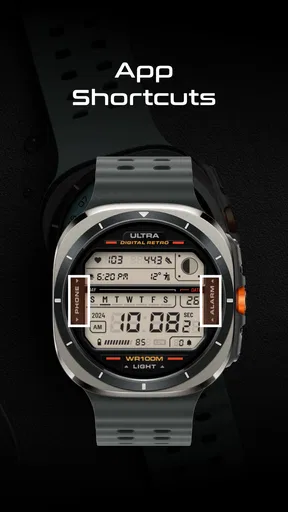
- No interactive elements or shortcuts.
- Requires companion app for full functionality.
- Only available for Android devices.
- Updates are infrequent, lacking new features.
Other Releases by Facer Studios
View All
Facer Watch Faces
Personalization4.4

Fallout Pip-Boy SE Watch Face
Personalization4.7

Star Trek LCARS SE Watch Face
Personalization4.4
Similar Picks in This Category
View All
Microsoft SwiftKey AI Keyboard
SwiftKey4.3

Wallpapers
Google LLC4.1

Zedge™ Wallpapers & Ringtones
Zedge4.7

Yandex Browser with Alice AI
Direct Cursus Computer Systems Trading LLC4.3

Ringtone Maker:create ringtone
Big Bang Inc.4.7

Fonts Keyboard
Fonts Keyboard3.9
Frequently Asked Questions
What features does the ULTRA Digital Retro watch face offer?
The ULTRA Digital Retro watch face offers a nostalgic design with customizable color schemes and display options. Users can access features like weather updates, step tracking, and battery status directly from the watch face. It also supports both 12-hour and 24-hour formats, making it versatile for different preferences.
Is the ULTRA Digital Retro watch face compatible with all smartwatches?
The ULTRA Digital Retro watch face is primarily designed for Android Wear OS and certain Samsung Galaxy watches. It's important to check the compatibility with your specific smartwatch model in the app description before downloading to ensure optimal performance and functionality.
How can I customize the ULTRA Digital Retro watch face?
Customization is straightforward with the ULTRA Digital Retro watch face. Users can choose from various color palettes and toggle different display elements like date, weather, and fitness data. The settings can be accessed through the watch or companion app, allowing for a personalized experience.
Does the ULTRA Digital Retro watch face affect battery life?
While the ULTRA Digital Retro watch face is designed to be energy-efficient, its impact on battery life can vary. Features like always-on display and frequent updates (e.g., weather) might consume more power. Users can optimize settings to balance functionality and battery consumption.
Are there any in-app purchases or ads in the ULTRA Digital Retro watch face?
The ULTRA Digital Retro watch face may offer a free version with basic features and a premium version through in-app purchases. The premium version typically unlocks additional customization options and removes any ads, providing a seamless and enhanced user experience.
